Choose interactive trade show booth ideas around what visitors need to understand, test, or compare. A useful interaction connects your product story to a short demonstration and a relevant next conversation. Screens, samples, and presentations should support that sequence while fitting your space, staffing, and budget.
What Makes a Trade Show Booth Interactive?
A booth becomes interactive when visitors participate: operating a product, comparing samples, choosing a use case, or asking questions during a demonstration. A screen playing a loop can support that experience, but motion alone does not make it interactive.
Start with one question: what should a qualified visitor understand after the interaction? A software company may need to explain a workflow. A materials supplier may need visitors to compare finishes. Each calls for different evidence and a different physical action.
Before selecting equipment, identify the product, the sales objection it needs to answer, the action visitors will take, and the next step staff should offer. Build these decisions into your Trade Show Booth Design brief so displays, circulation, and conversations are planned together.
7 Practical Interactive Trade Show Booth Ideas
The seven formats below offer different ways to explain a product. Choose a main interaction first; add supporting features only when the booth team can operate them consistently. These are planning options, not claims that every format appeared in the projects pictured here.
1. Hands-On Product Demo
Useful for: tools, industrial components, electronics, and products whose operation is easier to show than describe.
Let visitors complete one meaningful action under staff guidance: operate a handle, connect a component, or test a control. Follow with a question such as, “Is this similar to the process you use now?” Keep the task short enough to reset between visitors.
Plan the equipment footprint, operating movement, supervision, power, and viewing space before choosing a counter. If live operation is impractical, use a safe demonstration unit or a cutaway with a guided explanation. Do not assume a display pedestal can support a working machine.
Prepare the demonstration around the question staff hear most often. If visitors need to understand assembly, show the relevant connection rather than every feature. Keep accessories and reset supplies within staff reach so the next demonstration does not require leaving the station or interrupting another conversation.
2. Touchscreen Product Explorer
Useful for: software, technology, and medical-equipment portfolios with several applications or product families.
Offer a small set of choices, such as “Choose your application,” then show the relevant product explanation. A staff member can use the visitor’s selection to start a more specific conversation. Avoid turning the interface into a complete website with lengthy menus.
Confirm that the hardware actually supports touch, position controls for comfortable use, and provide space for a second visitor to watch. Test the content on the final device and plan an offline explanation if connectivity fails.
Give the interface a clear starting screen and an obvious way to return to it. If a visitor needs staff to explain every menu, simplify the choices. Prepare a separate path for visitors who want to watch a guided explanation rather than operate the screen themselves.
3. LED Video Wall Experience
Useful for: technology, automotive products, and launches that need a large visual explanation.
Build participation around the content: let visitors choose a scenario with staff, compare two applications, or ask questions during a short visual walkthrough. A passive video loop is a display feature; the visitor’s choice or discussion creates the interactive element.
Plan viewing distance, image detail, brightness, content format, power, and the audience position together. Explore LED Video Wall Rental when a large shared image serves the demonstration. A smaller monitor may suit close-up instructions or a compact booth better.
4. Side-by-Side Comparison
Useful for: tools, materials, components, and consumer products with visible or tangible differences.
Give visitors two or three clearly labeled options and one evaluation question: which finish, size, or operating method fits their application? Use the same comparison conditions and explain any limitations. Avoid implying a tested performance advantage unless the evidence supports it.
Arrange products so staff can point out differences without covering labels or blocking access. Keep the display uncluttered, with replacement samples nearby. This format can support a focused conversation without software or a large presentation area.
5. Interactive Product Configurator
Useful for: configurable machinery, modular systems, and products with interdependent options.
Let a visitor choose an application, capacity, or feature set and review a possible configuration with a specialist. Unlike a product explorer, the configurator combines choices into an output rather than simply presenting existing information.
Define permitted combinations, software ownership, device integration, and how selections will be saved. Separate indicative configurations from approved specifications or firm prices. If the application is still under development, use a staff-guided selection worksheet rather than promising an unfinished digital experience.
6. Guided Mini Presentation
Useful for: B2B services, manufacturing processes, and complex solutions that benefit from a shared explanation.
Prepare a short sequence around one problem, one demonstration, and one question. For example, explain a workflow, show the relevant equipment or animation, then invite visitors to identify where it applies to their operation.
Give the presenter and audience defined space inside the booth. Keep presentation traffic separate from meetings, and plan how interested visitors move into a deeper discussion. Staff need a repeatable script and a reset plan, not a long pitch that only one person can deliver.
7. Sample & Material Interaction
Useful for: building materials, furniture, textiles, finishes, and industrial materials.
Invite visitors to handle a sample, inspect a joint, or compare texture and flexibility. Label the material and intended application so staff can connect the physical experience to a specification discussion.
Plan support loads, secure mounting, cleaning, replacement stock, and storage. Heavy or delicate items may need fixed displays with staff-assisted handling. Record which sample interests the visitor so follow-up can refer to a specific material rather than a generic brochure.
How to Choose Interactive Features for Your Industry
Choose the action that answers a real product question, then check whether your team can run it throughout the show. Industry is a starting point, not a reason to add technology that does not serve the product.
| Product or industry | Start with | Confirm before approval |
|---|---|---|
| Industrial equipment and hardware | Hands-on demo or comparison | Operating space, safe demonstration format, power, reset time |
| Software and complex technology | Product explorer or guided presentation | Content readiness, connectivity, technical staffing |
| Medical equipment | Guided product explanation or approved demonstration | Permitted use, handling restrictions, approved claims |
| Building materials and furniture | Sample interaction or side-by-side comparison | Weight, mounting, replacement samples, storage |
| Configurable systems | Product configurator | Valid options, software support, output accuracy |
For smaller booths, start with one clear interaction rather than several competing activities. Larger exhibits can support distinct zones, but each needs an operator or a genuinely usable self-guided experience.
Use staffing as an approval check. Who greets visitors while the specialist is demonstrating? Who handles a detailed question when the next group arrives? If those jobs fall to one person, shorten the demonstration or provide a nearby browsing display. More stations are not useful if the team cannot support them.
How to Plan Visitor Flow Around Product Demos
Think in zones rather than individual objects: attraction, greeting, demonstration, conversation, and storage. A counter, monitor, sample wall, and lounge may each sound useful but still overwhelm the available footprint when combined.
Place longer activities inside the booth, with space for visitors to watch without standing in the aisle. Keep the entry visible, provide a route past the demonstration, and locate follow-up conversations where they will not interrupt the next visitor. Include equipment movement and staff positions in the layout, not just furniture dimensions.
For a 10×10-foot space, prioritize one demonstration and a clear entry. A 10×20-foot layout may accommodate samples and compact discussions. An island booth can offer several approaches, but visitors still need a recognizable starting point. Review 20×30 Custom Island Booth Design examples when balancing multiple displays and meetings.
Test the layout using the expected audience and staff positions. Check whether someone can enter, watch, ask a question, and leave while another demo is running. Keep cases, cables, and restocking supplies out of that path.
Plan how the conversation changes after the demonstration. Staff might ask, “Which feature matters most for your team?” and move a qualified prospect to a discussion table. That transition should free the demo position for the next visitor without making the current guest feel rushed or abandoned.
Touchscreens, LED Walls & Equipment Requirements
Specify the experience before ordering hardware. A monitor, touchscreen, projector, and LED wall perform different jobs; a photograph of a screen does not establish its technology or interaction capability.
- Content: confirm the interface, video format, text size, playback equipment, and who approves the final files.
- Power and connections: provide the actual equipment list and requirements for review against the current exhibitor manual.
- Physical integration: confirm mounts, weight, ventilation, cable routes, operating clearances, and service access.
- Installation and testing: assign responsibility for setup, playback checks, troubleshooting, and dismantling.
- Fallback: keep an offline presentation or physical explanation available if a device or connection fails.
Coordinate these details with Custom Booth Fabrication before counters and walls are produced. The booth builder, AV provider, software team, and event service contractors may have separate responsibilities; identify them in the agreed scope.
Before shipment, run the final content and equipment together where practical. Check that labels are visible from the intended audience position, controls respond as expected, and the team can restart the experience. Record the setup sequence and support contact so troubleshooting does not depend on the person who originally assembled it.
What Affects Interactive Booth Design Costs?
Budget for the full experience rather than the visible screen or demo table alone. The same idea can require very different resources depending on content development, equipment, booth structure, and show services.
| Cost area | What to include |
|---|---|
| Design and fabrication | Layout, demonstration fixtures, graphic design, mounts, storage |
| Hardware and software | Displays, playback equipment, rental or purchase, application development |
| Content | Video, animation, interface design, product data, revisions |
| Show services | Applicable electrical, internet, rigging, and material-handling charges |
| Execution and reuse | Packing, freight, installation, technical support, training, repairs, storage |
Compare proposals using the same scope. Confirm who supplies content and equipment, which services are excluded, and what changes would add cost. Reusing a display may reduce future production needs, but transport, maintenance, and content updates still belong in the plan.
When the budget is tight, protect the main demonstration before adding secondary attractions. Compare a staff-guided product selection with custom configurator development, or a focused sample station with a larger digital installation. The simpler option should still answer the same visitor question; removing useful product evidence just to keep a large screen is a poor trade.
Real Exhibitsmax Booth Examples for Interactive Planning
These three projects document physical displays and demonstration layouts. They illustrate planning choices, not measured engagement results. The published records do not establish touchscreen use, configurator software, or specific visitor participation rates.
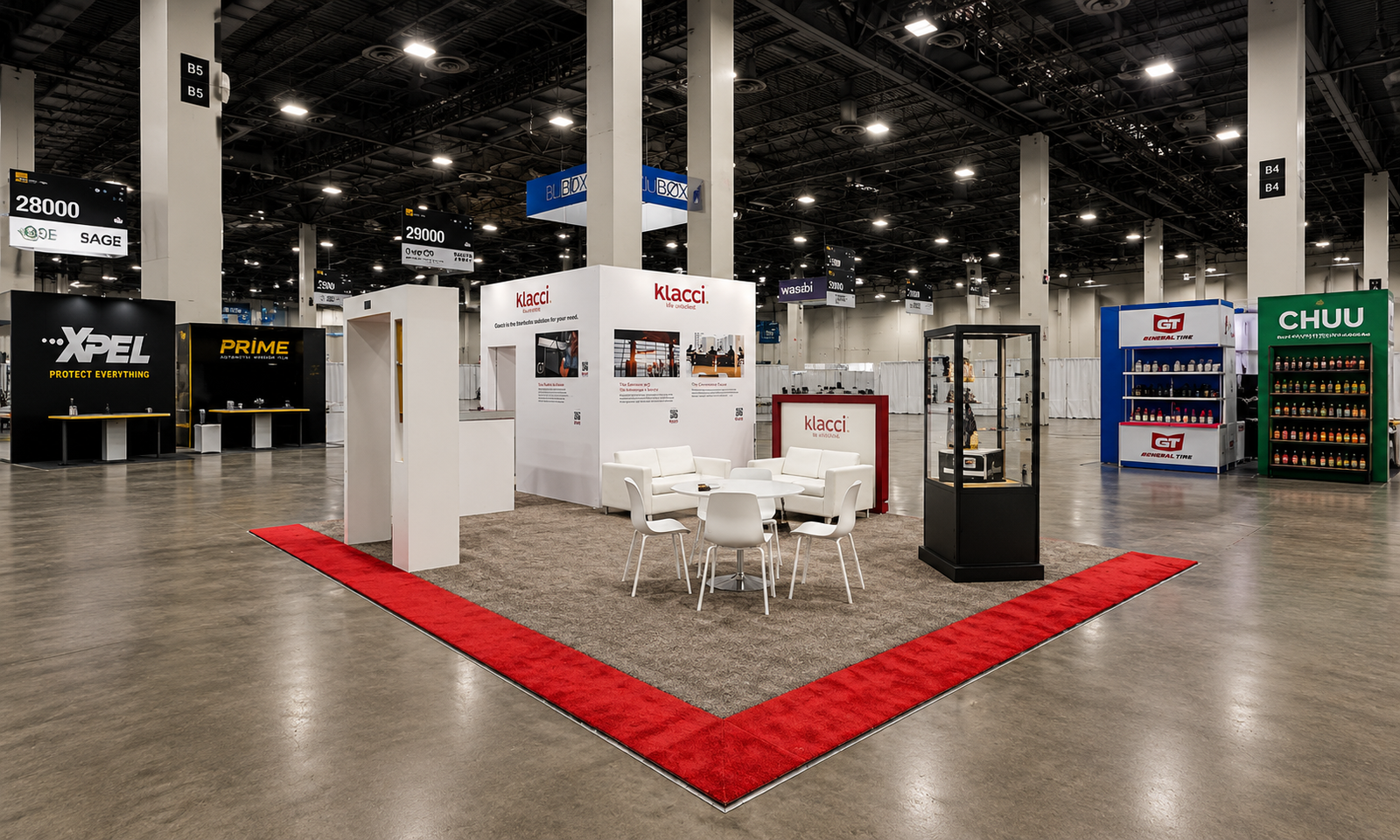
Klacci — ISC West 2024, 20×30 Feet
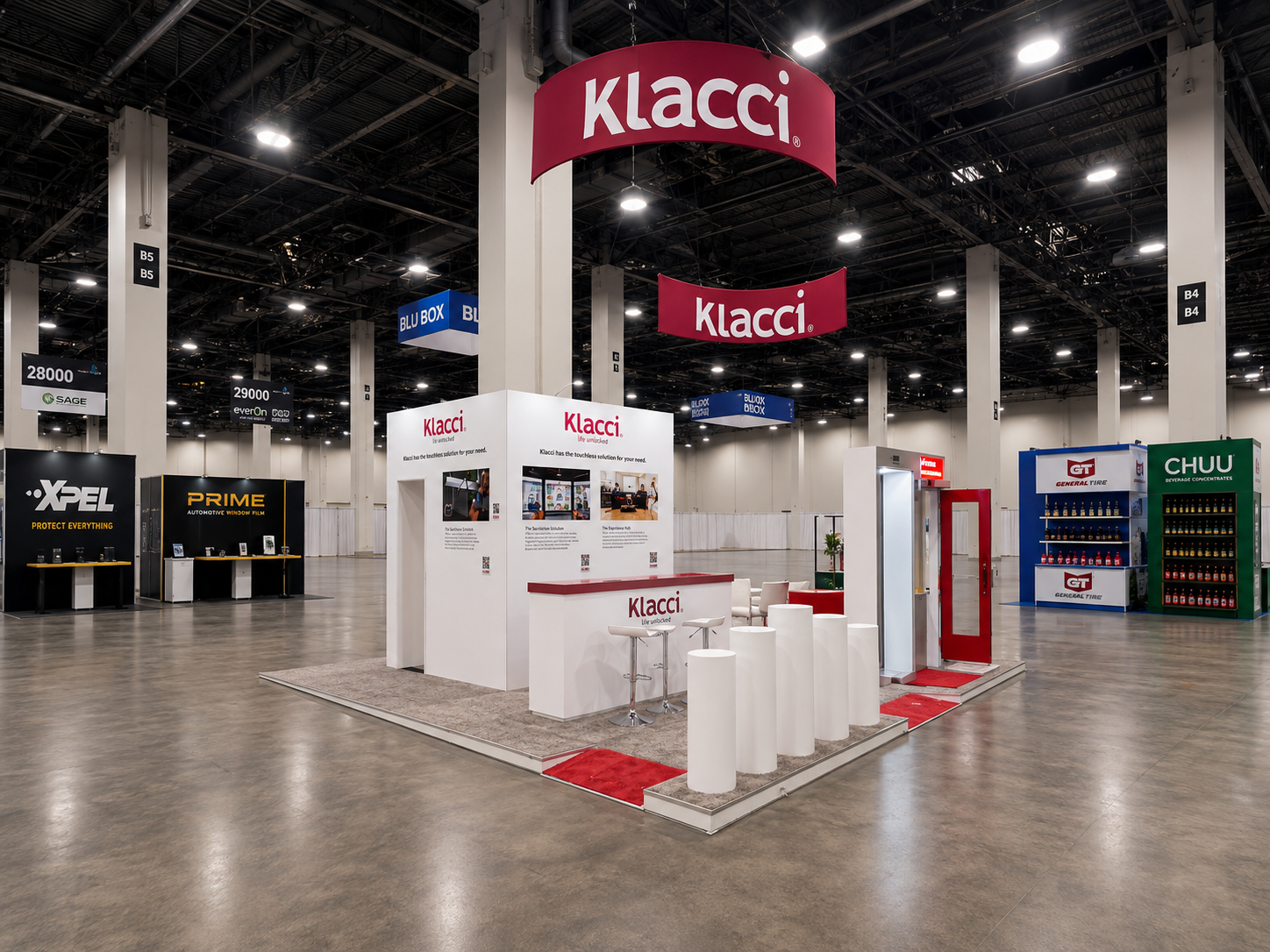
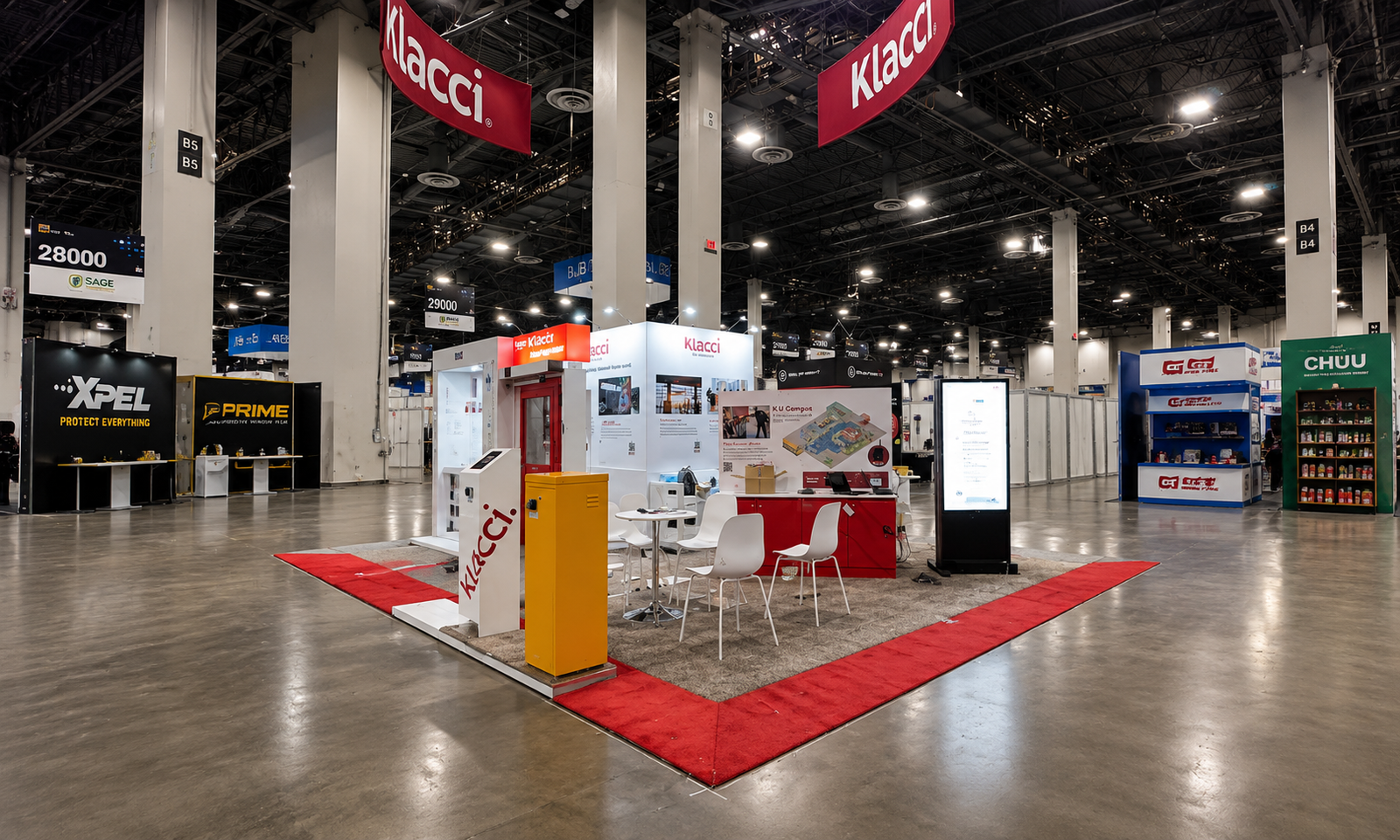
The Klacci Portfolio documents door-hardware demonstration frames, product pedestals, a digital display, and meeting areas. Full-height door structures give the hardware a recognizable application setting, while smaller displays offer separate presentation points.
For a similar project, plan door movement, operating clearance, sample placement, and supervision alongside meeting space. The layout is a useful reference for product-led demonstrations; the photos alone do not show how visitors operated each device.
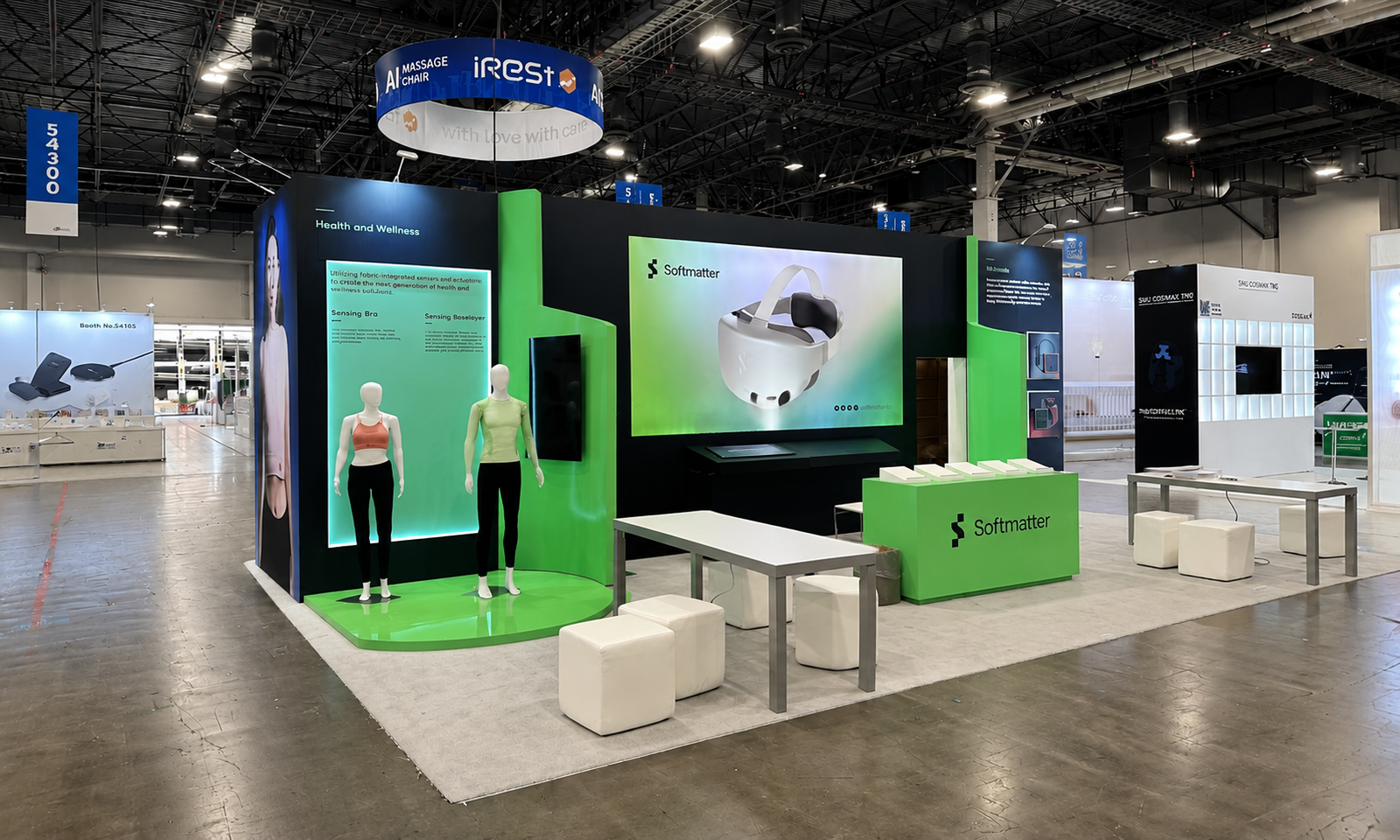
Softmatter — CES 2023, 10×20 Feet
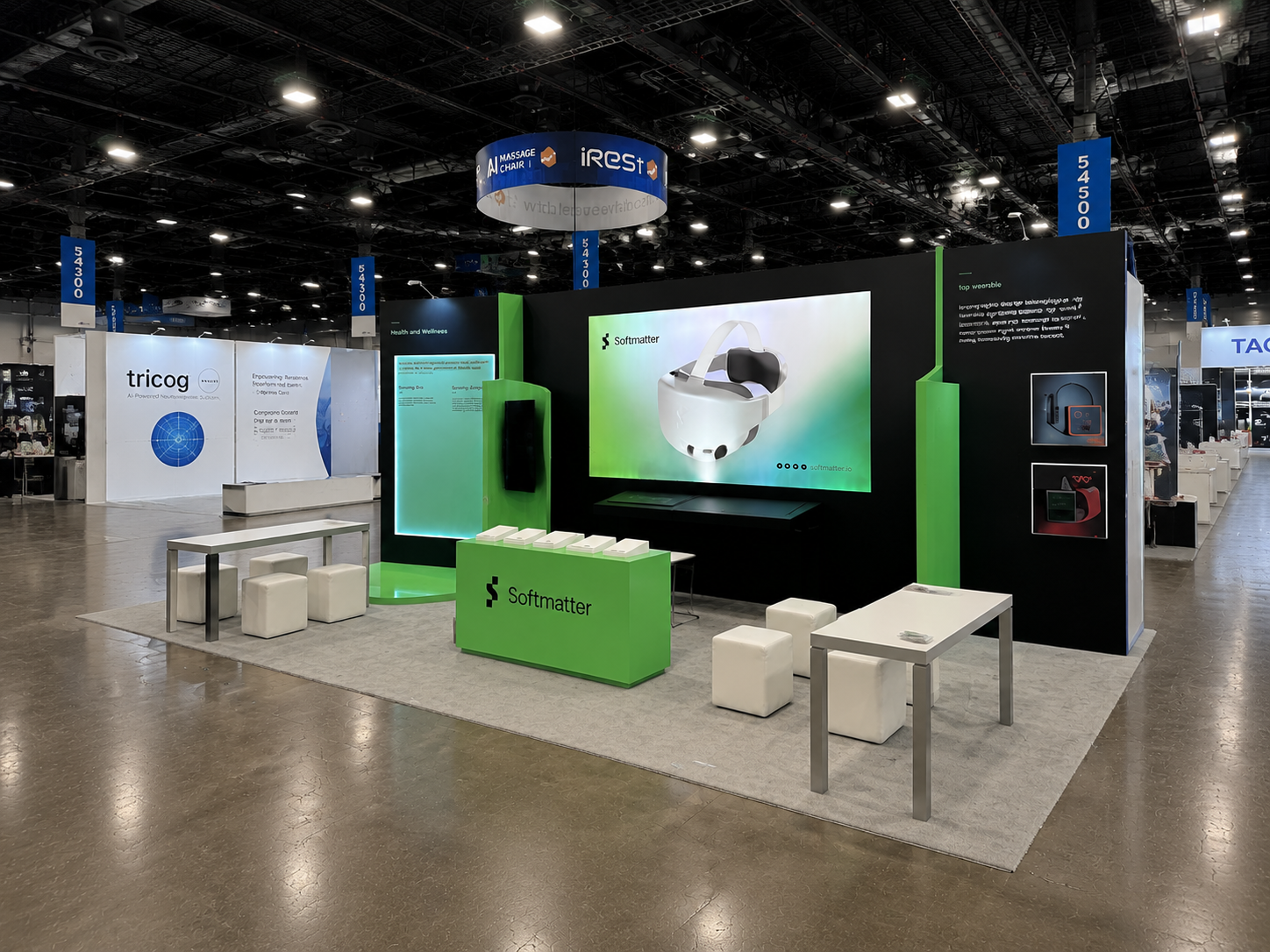
The Softmatter CES 2023 project combined wearable displays, a central visual, a sample counter, and compact seating. Its long frontage brought physical examples and product information into a small footprint.
Use this as a reference for presenting samples beside visual explanations. A similar arrangement could support staff-guided sample discussions, but the project record does not establish an interactive touchscreen or a specific live technology demonstration.
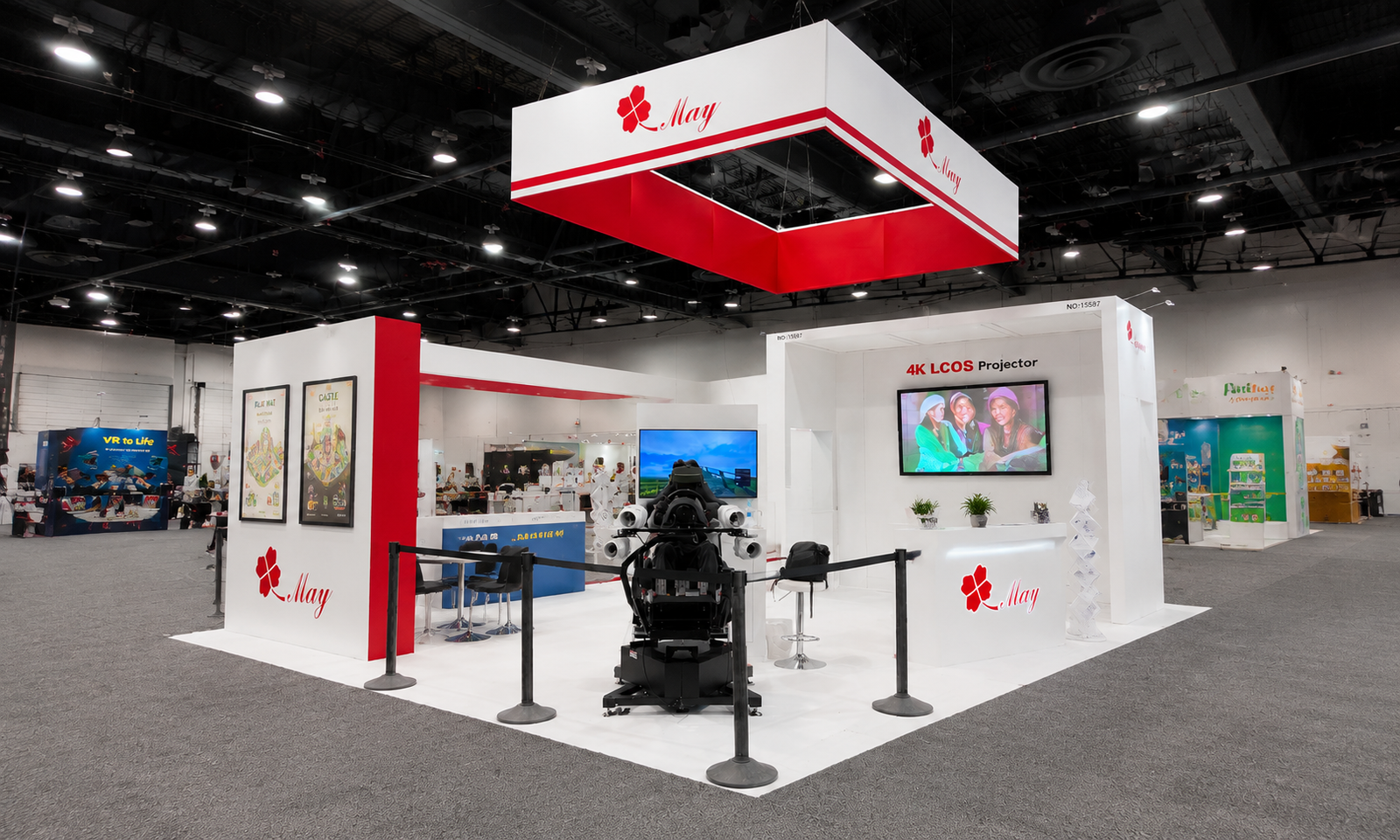
MAY — CES 2024, 20×30 Feet
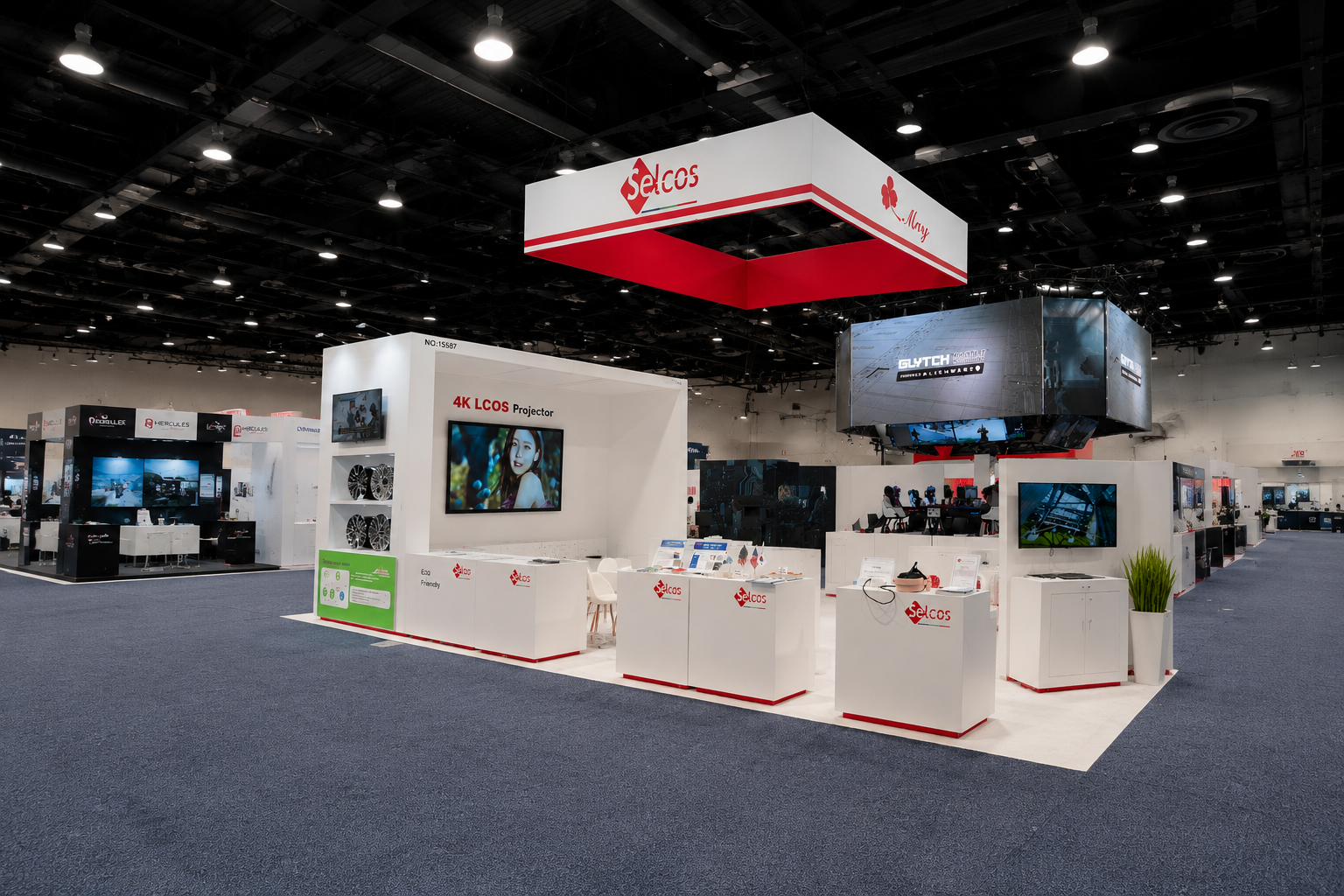
The MAY CES 2024 project includes a display labeled “4K LCoS Projector,” information counters, and a seated demonstration setup bounded by stanchions. Meeting furniture occupies a separate area.
This offers a planning reference for technology products requiring different viewing or operating positions. Identify each station’s audience, equipment, and staff needs before combining them. The documented screen and projector displays should not be relabeled as LED walls or touchscreens.
Common Interactive Booth Mistakes to Avoid
A quick rehearsal can expose problems that a floor plan misses. Ask a colleague unfamiliar with the product to try the activity, then explain what they learned. If they remember the game but cannot describe the product, revise the interaction before investing in more equipment or graphics.
- Choosing technology before the message. Define the product question the activity will answer before selecting hardware.
- Blocking entry with the attraction. Allow room to watch, participate, and move past the station.
- Planning a demo that is difficult to reset. Rehearse setup, operation, cleaning, and the next visitor’s turn.
- Giving one staffer every job. Assign greeting, demonstrations, technical questions, and follow-up responsibilities, even if roles rotate.
- Ending with a badge scan and no context. Record the product, application, or sample discussed and agree on the next step.
Frequently Asked Questions
How long should a product demonstration be?
Prepare different depths: a brief introduction for passing visitors, a short explanation for interested prospects, and a scheduled discussion for detailed evaluation. Rehearse each version with the actual equipment so setup and reset time are included.
Can an interactive booth work without internet?
Yes. Physical comparisons, sample handling, and staff-guided presentations can work offline. Digital content may also run locally if designed for it. Check which functions require connectivity rather than assuming the whole experience will remain available.
Should every interaction collect contact details?
No. Let visitors understand the product first. When follow-up is useful, explain what you will send and note the relevant application or sample. A clear next step is more useful than collecting a scan without conversation context.
What if the live product is too large to demonstrate?
Consider a representative component, cutaway, recorded process, or guided visual explanation. State what the display represents and which operating conditions it cannot reproduce. Keep the presentation tied to a real technical question.
What should I send a booth builder before requesting ideas?
Share the show, booth plan, products, demonstration goals, equipment dimensions, staffing, and budget. Include power and connection requirements, content readiness, meeting needs, and reuse plans so the proposal can define the physical build and technical responsibilities.
Request an Interactive Booth Design & Quote
Share your show, booth size, products, demonstration needs, and target budget. Contact Exhibitsmax to discuss a layout that connects product displays, visitor movement, and staff-led conversations, with equipment and service responsibilities defined in the proposal.